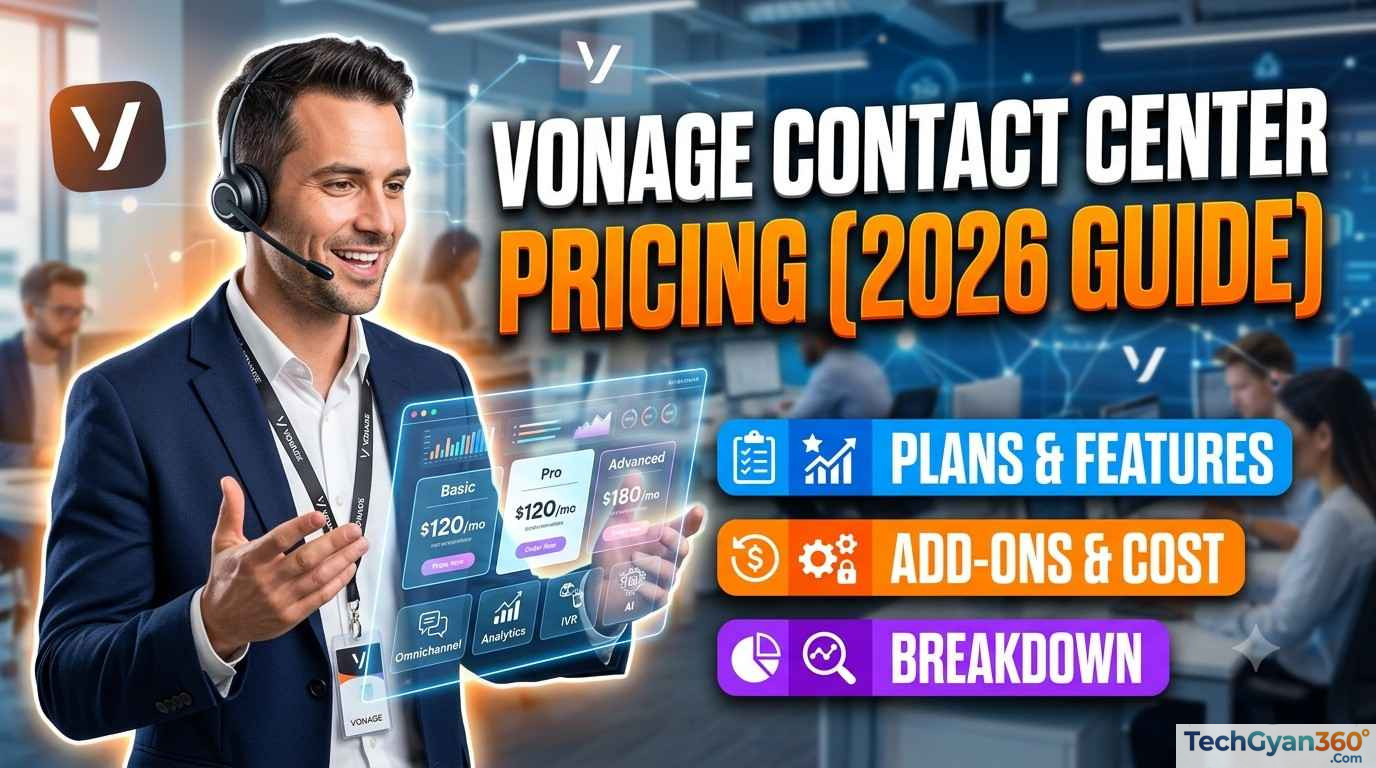

Introduction: What Is Vonage Contact Center?
Vonage Contact Center (VCC) is a cloud-based Contact Center as a Service (CCaaS) platform built to help businesses manage customer conversations across voice, chat, email, SMS, and social channels — all from a single, AI-powered workspace. Unlike legacy on-premises call center systems, Vonage Contact Center runs entirely in the cloud, which means businesses get flexible scaling, lower upfront costs, and continuous feature updates without maintaining physical hardware.
Vonage Contact Center is best known for its deep, native integration with Salesforce (it holds a strong reputation on the Salesforce AppExchange), along with support for Microsoft Dynamics 365, Microsoft Teams, ServiceNow, Zendesk, and other major CRMs. It combines AI-driven tools — such as speech analytics, sentiment detection, a virtual agent, and agent assist — with core contact center essentials like skills-based routing, omnichannel support, workforce management, and real-time dashboards.
If you’re evaluating Vonage Contact Center for your business, the single biggest question is usually: how much does it cost? Below, we break down everything you need to know about Vonage Contact Center pricing, plans, add-ons, and what actually affects your monthly bill.
Vonage Contact Center Pricing at a Glance
Here’s the short answer: Vonage does not publish fixed, per-seat pricing for Vonage Contact Center. Instead, VCC is sold on a custom quote basis, meaning the final price depends on:
- The plan tier you choose (Priority or Premium)
- Number of agent seats/licenses
- Which add-ons and AI features you enable
- Contract length and commitment level
- Whether you bundle Vonage Business Communications (UCaaS) alongside VCC
- Your CRM platform and the depth of integration required
This custom-quote model is common across enterprise CCaaS providers (similar to Five9, NICE CXone, and Genesys) because contact center costs scale heavily with usage, channels, and compliance needs. To get an accurate number for your business, you’ll need to request a quote directly from Vonage or speak with a Vonage sales representative.
That said, understanding the plan structure below will help you estimate your likely cost tier and negotiate more effectively.
Also Check – Talkdesk Pricing 2026: Plans, Features & Complete Cost Breakdown
Vonage Contact Center Plans Explained
Vonage Contact Center is structured around two core plans — Priority and Premium — plus a library of optional add-ons that let you build a package suited to your contact center’s size and complexity.
1. Priority Plan
The Priority plan is positioned as the entry point for businesses building out their first true cloud contact center. It’s designed for teams that need reliable, essential contact center functionality without the more advanced routing and coaching tools found in Premium.
Core features included in Priority:
- Announcement of place in queue (so customers know their wait position)
- Analytics, reporting, and real-time dashboards
- Screen pops with call recording
- Disaster recovery and emergency call routing
- IVR (Interactive Voice Response) with skills-based routing
- SLA Optimizer for service-level management
- Post-call quality ratings
- Priority call handling and personal queues
- Single sign-on (SSO)
- Contextualized notifications
- Dialer and omnichannel capability (channel support depends on your CRM)
This tier suits small to mid-sized teams that mainly need reliable inbound/outbound voice handling, basic reporting, and CRM screen pops without heavier workforce optimization tools.
2. Premium Plan
The Premium plan includes everything in Priority, plus a set of advanced capabilities aimed at improving customer experience and agent performance at scale.
Additional features included in Premium:
- Dynamic and multilingual announcements
- Dynamic routing and queued callback (so customers don’t have to wait on hold)
- Whisper coaching (supervisors can coach agents live, without the customer hearing)
- Post-call surveys
- API access for:
- Agent availability
- Authentication
- Reporting and interactions
- User administration
Premium is the right fit for growing or enterprise contact centers that need deeper supervisor tools, multilingual support, callback queuing, and API-level control for custom integrations or reporting pipelines.
Also Check – Microsoft Dynamics 365 Contact Center Pricing (2026 Guide): Plans, Features & Costs Explained
Vonage Contact Center Add-Ons (Priced Separately)
Beyond the base Priority and Premium plans, Vonage offers a range of add-ons that are priced and licensed separately based on your needs. These let you customize your contact center without overpaying for capabilities you don’t need yet.
| Add-On | What It Does |
|---|---|
| Speech Analytics | Transcribes, tags, and analyzes customer calls for compliance, QA, and coaching insights |
| AI Virtual Assistant | Deflects simple queries with conversational AI self-service before escalating to a live agent |
| Workforce Management (WFM) | Forecasting, scheduling, and adherence tools to optimize staffing levels |
| Post-Call Surveys / Quality Management | Automated customer satisfaction surveys after each interaction |
| Gamification | Turns agent performance metrics into leaderboards and rewards to boost engagement |
| Visual Engagement | Adds video and screen-sharing to customer interactions |
| Screen Recording | Captures agent screens alongside call recordings for training and compliance |
| Web & Mobile Chat | Adds live chat channels across web and mobile apps |
| CRM Integrations | Deeper, prebuilt connections to platforms like Salesforce, Microsoft Dynamics, ServiceNow, and Zendesk |
| Vonage Communications APIs | Programmable voice, messaging, and video APIs to extend VCC into custom applications |
| Unified Communications (UCaaS) Add-On | Bundles Vonage Business Communications (calling, meetings, and team chat) with your contact center for a single-vendor experience |
Because each add-on is licensed individually, your final Vonage Contact Center price will reflect exactly which combination of tools your team uses — which can help control costs if you only need a few extras rather than the full suite.
Factors That Affect Your Vonage Contact Center Cost
Since Vonage Contact Center pricing is quote-based, here are the main variables that will move your price up or down:
- Number of agent seats — pricing is typically calculated per named agent/license, so the more seats you need, the higher the total monthly cost (though per-seat rates often decrease at higher volumes).
- Plan tier (Priority vs. Premium) — Premium’s advanced routing, coaching, and API features come at a higher per-seat cost than Priority.
- Add-ons selected — AI features like speech analytics, the virtual assistant, and workforce management are typically priced as separate line items.
- CRM platform — since Vonage Contact Center is deeply CRM-integrated (especially with Salesforce), the specific CRM you use can affect available features and implementation costs.
- Contract length — as with most CCaaS providers, longer-term commitments (annual vs. month-to-month) often unlock better rates.
- Bundling with Vonage Business Communications (UCaaS) — combining Vonage’s unified communications platform with VCC (sometimes marketed as Vonage Fusion) can offer bundled pricing versus buying each separately.
- Compliance requirements — industries requiring HIPAA, PCI-DSS, or additional security layers may need higher-tier configurations.
How to Get an Accurate Vonage Contact Center Quote
Since there’s no self-serve pricing calculator, here’s how to get the most accurate quote for your business:
- Define your agent count — know roughly how many concurrent/named agent seats you need now and over the next 12–24 months.
- List your must-have features — decide upfront whether you need speech analytics, workforce management, AI virtual agents, or just core voice/omnichannel routing.
- Identify your CRM — Salesforce, Microsoft Dynamics 365, ServiceNow, and Zendesk are all supported; knowing this upfront speeds up the scoping conversation.
- Request a quote via the Vonage Contact Center plans page or by calling Vonage directly at 1-844-365-9460.
- Ask about bundling — if you also need business phone, video meetings, or team messaging, ask about combining VCC with Vonage Business Communications for potential savings.
- Negotiate contract length — request pricing for multiple term lengths (monthly, annual, multi-year) to compare total cost of ownership.
Key Vonage Contact Center Features That Impact Value
Understanding what you’re paying for matters just as much as the price tag. Here are the standout capabilities that differentiate Vonage Contact Center from other CCaaS platforms:
- AI-Powered Everything — Vonage’s AI Virtual Assistant handles routine customer questions automatically, escalating only complex issues to live agents. This reduces agent workload and can lower the number of seats you need over time.
- Conversation Analyzer (Speech Analytics) — Automatically transcribes, tags, and quality-checks customer calls, useful for compliance-heavy industries and coaching programs.
- Omnichannel Routing — Customers can reach your team via voice, webchat, SMS, email, or social, all routed intelligently to the right agent.
- Real-Time Dashboards & Wallboards — Give supervisors instant visibility into KPIs like queue times, SLA adherence, and agent status.
- Agent Assist / Agent UX — Boosts agent productivity with contextual guidance during live interactions.
- Enhanced Noise Cancellation — AI-powered background noise removal improves call clarity, transcription accuracy, and analytics quality.
- Gamification — Converts contact center KPIs into friendly competition to improve morale and retention.
- Security & Compliance — Vonage maintains ISO 27001, PCI-DSS, SOC, HITRUST, and CSA STAR certifications, which matters for healthcare, finance, and other regulated industries.
Vonage Contact Center Integrations
One of Vonage Contact Center’s biggest selling points is how tightly it integrates with the CRM and business tools your team already uses:
- Salesforce — Vonage’s deepest integration, with Salesforce Service Cloud Voice support and Vonage Premier for Salesforce Voice; also integrates with Salesforce Agentforce for AI-driven agent experiences
- Microsoft Dynamics 365 — native CRM data sync for screen pops and call logging
- Microsoft Teams — voice and collaboration integration for hybrid contact center/office environments
- ServiceNow — Vonage for ServiceNow Voice brings contact center calling directly into ServiceNow workflows
- Zendesk, Bullhorn, HubSpot, NetSuite, Oracle, SAP, SugarCRM, Zoho, and more — supported through Vonage’s broader CRM integration framework
Because pricing and available features can vary by CRM, it’s worth confirming with Vonage exactly which capabilities are supported for your specific platform before finalizing your quote.
Vonage Contact Center Use Cases
Vonage Contact Center is built to serve multiple teams within an organization, each with different priorities:
- Sales Teams — Click-to-dial/auto-dial within the CRM, AI-powered post-call analysis, and contextual customer data to close more deals faster.
- Customer Service Teams — Dynamic routing based on CRM data, supervisor whisper coaching, live call monitoring, and global real-time reporting.
- IT Teams — A cloud-native, microservices-based architecture that scales globally without the reliability and maintenance headaches of legacy on-prem systems.
- Salesforce Administrators — Manage agents directly within Salesforce, unify all channels (voice, digital, video) in one interface, and rescue customers stuck in chatbot loops by rerouting to live agents.
- Businesses Moving to the Cloud — Companies migrating away from on-premises PBX or legacy contact center hardware toward a scalable, subscription-based CCaaS model.
Also Check – Google CCaaS: A Complete Guide to CCAI Platform and Pricing
Vonage Contact Center vs. Competitors: Where Does Pricing Fit?
Vonage Contact Center competes in the CCaaS space with providers like Five9, NICE CXone, Genesys Cloud, Talkdesk, and RingCentral Contact Center. Like most of these providers, Vonage does not list flat public pricing — this is standard for enterprise-grade contact center software because costs vary so significantly based on seat count, channel mix, and AI feature usage.
What tends to set Vonage Contact Center apart on the value side of the pricing equation:
- Strong, purpose-built Salesforce integration (reflected in its high AppExchange rating)
- Ability to bundle with Vonage’s UCaaS platform (Vonage Fusion) for single-vendor simplicity
- A tiered plan structure (Priority/Premium) that lets smaller teams start lean and scale up
- Modular add-ons, so you’re not forced into an all-or-nothing enterprise bundle
If budget is a primary concern, it’s worth requesting quotes from two or three CCaaS providers side-by-side using the same seat count and feature list, so you’re comparing total cost of ownership on equal terms.
Frequently Asked Questions About Vonage Contact Center Pricing
Does Vonage publish contact center pricing online? No. Vonage Contact Center pricing is custom-quoted based on agent seats, selected plan (Priority or Premium), add-ons, and contract terms. You’ll need to contact Vonage directly for a tailored quote.
What’s the difference between the Priority and Premium plans? Priority covers essential contact center functionality — IVR, skills-based routing, analytics, screen pops, and disaster recovery. Premium adds dynamic/multilingual routing, queued callback, whisper coaching, post-call surveys, and expanded API access for deeper customization.
Are add-ons included in the base plan price? No. Features like Speech Analytics, the AI Virtual Assistant, Workforce Management, Gamification, and Visual Engagement are separate add-ons priced individually based on your usage.
Can I bundle Vonage Contact Center with Vonage’s business phone system? Yes. Vonage offers a combined UCaaS + CCaaS approach (sometimes referred to as Vonage Fusion) that bundles Vonage Business Communications with Vonage Contact Center under a single vendor relationship, which may offer pricing efficiencies versus buying separately.
Is Vonage Contact Center a good fit for small businesses? Vonage offers a small business-focused contact center option in addition to its standard Priority/Premium plans, making VCC scalable for smaller teams as well as larger enterprises.
What is a cloud contact center? A cloud contact center is an internet-based platform that manages inbound and outbound customer interactions without on-premises hardware, offering more flexibility, scalability, and advanced features than a traditional on-prem system.
What is CCaaS (Contact Center as a Service)? CCaaS is a cloud-delivered model that unifies all customer communication channels — voice, chat, SMS, email, video, and social — into a single platform, hosted and maintained by the provider rather than the business itself.
How is a contact center different from a call center? A call center typically handles only phone-based interactions, while a contact center manages multiple channels — voice, chat, email, SMS, and social — to resolve customer issues wherever the customer prefers to engage.
Final Thoughts: Is Vonage Contact Center Worth the Investment?
Vonage Contact Center is a strong option for mid-market and enterprise teams — particularly those already invested in Salesforce — that want an AI-powered, omnichannel CCaaS platform without maintaining on-premises infrastructure. Because pricing isn’t published, the real work in your buying process is scoping your seat count, required features, and CRM setup clearly enough to get an apples-to-apples quote.
Next step: Request a personalized quote directly from Vonage to see exactly how Priority, Premium, and available add-ons price out for your team size and use case.
👉 Get your Vonage Contact Center quote | Explore all VCC features | See integration options | Browse use cases
Contact Vonage: 1-844-365-9460 | Contact Vonage Contact Center Sales
Join our live, instructor-led Amazon Connect training: 17 modules, 75+ hours, 80% hands-on labs, rated 4.8★ by our trainees. Or test yourself first with our free practice exams.